The Michael Brauer vocal chain is a renowned mixing technique that aims to enhance the clarity, warmth, and presence of vocals within a mix.
Implementing this chain allows engineers to enhance the vocal performance, making it more prominent and emotionally resonant with the listener.
The goal is simple: to create a vocal sound that is both powerful and intimate.
This technique is widely recognized for its ability to add depth and dimension to vocals, making them feel more "alive" and "in the room."
The Chain in Order
Every component of the chain contributes its unique touch, preserving the natural quality of your vocals while enhancing their prominence in the mix.
Below is the order of the tools you use in the chain. Each tool has its role and adds a different layer to the overall sound.
The method is not fixed.
You can change the settings to suit each song.
The order gives you a clear path to follow. The process is simple, effective, and flexible.
Step 1: SSL 9000 J Channel Strip Setup
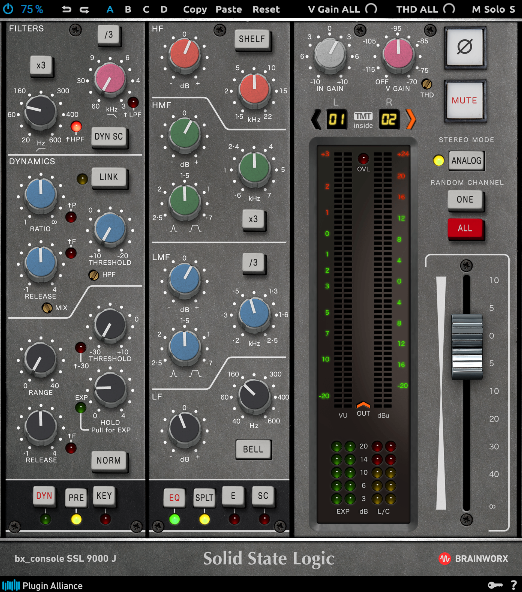
The SSL 9000 J, the initial tool in the chain, produces an airy and clean sound.
The process commences with a high-pass filter to eliminate low-end rumble, resulting in a tight vocal sound.
Subsequently, midrange frequencies are boosted, if necessary, to bring the vocal forward.
A top-end boost can add additional air and sparkle.
Notably, the dynamics button remains inactive, preventing the plugin from adding extra compression or saturation.
This choice maintains the natural quality of the voice while still providing an edge and a clear space in the mix.
These settings prepare the track for subsequent steps in the chain, ensuring that each further change builds upon a solid foundation.
Step 2: LA-2A Compression for Smooth Control
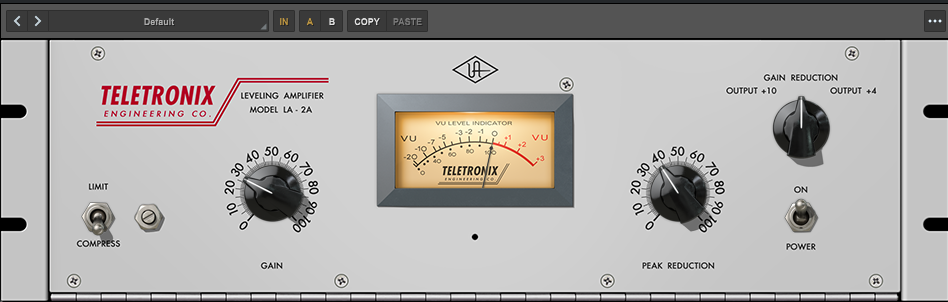
The LA-2A compressor is a key tool for adding warmth and gentle compression to vocals, resulting in a rich, smooth tone.
It is typically used in a pre-compression stage to soften the vocal without masking its natural qualities.
By smoothing out peaks, the LA-2A helps to maintain a consistent vocal level while preserving intimate details and nuances.
This creates a consistent and polished vocal sound that carries through the entire song.
In addition to its sonic benefits, the LA-2A is also valued for its ease of use and simple controls.
Its straightforward design and intuitive operation make it a popular choice for both professional and amateur audio engineers.
Step 3: Blackbox HG-2 Saturation for Vocal Weight
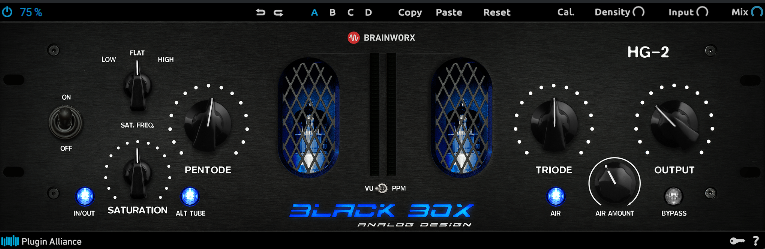
Michael Brauer uses the Blackbox HG-2 to apply musical saturation to vocals.
This tool can thicken thin sounds and optimize vocal integration within the mix. Its adaptable tone controls allow for customized saturation levels.
The plugin provides the ability to achieve optimal sound coloration.
The settings enable users to work within their style and the requirements of the song.
Brauer uses the HG-2 to enhance vocal presence without compromising their natural characteristics.
Step 4: PSP InfiniStrip for Character and Dynamics

One of Michael Brauer's signature techniques is to utilize the PSP InfiniStrip to add a significant amount of musical distortion to the vocal.
The plugin features a preamp that shapes the overall character of the sound. Its EQ can be used to add bite and attitude.
Brauer will then use two compressors in parallel to control the dynamics of the voice.
Finally, a de-esser within the PSP InfiniStrip can be employed to tame any harshness.
The PSP InfiniStrip is a key component of the vocal chain, providing strength and grit to the voice. The clear structure of the unit makes it a dependable part of the chain.
The settings for each plugin component can be adjusted to provide additional emphasis while preserving the natural vocal characteristics.
Step 5: FabFilter Pro-Q for Final Vocal Tone Control
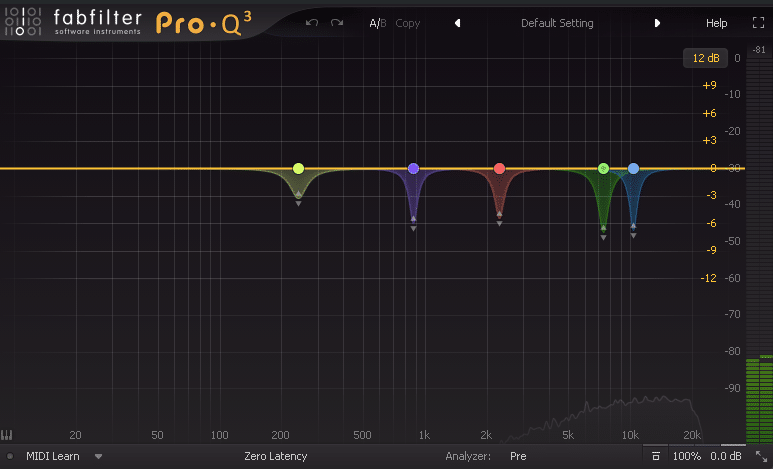
FabFilter Pro-Q functions as a dynamic equalizer that refines vocal tone. It targets resonant peaks and controls unwanted frequency buildups.
The tool acts to smooth the sound by cutting harsh edges, keeping the vocal clear and balanced.
Maintaining a natural sound while keeping the voice in check, the tool works quietly in the background to balance the overall tone.
The equalizer completes the Michael Brauer vocal chain with precision.
If you enjoyed this tutorial, you should definitely check out the Michael Brauer Parallel Vocal Compression Technique.
This is just a taste of how Brauer mixes Grammy Award-winning songs.
Download the complete Michael Brauer Mix Template now to integrate this powerful vocal chain into your mixes.
FAQ
Can I use this chain on every genre?
Yes, but you should adjust each stage based on the singer and song. The chain is a framework, not a fixed preset.
Do I need the exact same plugins?
No. You can use equivalent channel strip, compressor, saturation, and dynamic EQ tools as long as you keep the same workflow intent.
Please I paid $47 for brauerizing in the box I received the invoice but not the product I don’t know when or how I will receive the product can you help me or tell me where to claim? thank you in advance
Hi Paul, The template has been sent to your email.