You recorded the vocal, dropped it in the mix, and it just sits there, sounding small. Thin. A little brittle.
Next to a thick, warm reference track, it feels like a demo, like the singer is two rooms away from a great microphone.
So you reach for a low-mid boost, then a chorus, then a reverb, and now it is thin AND muddy, which is somehow worse.
Thickness and warmth are not one knob. They are the result of a few small moves stacked in the right order.
A thick, warm vocal has body in the low mids, controlled dynamics, gentle harmonic richness, and just enough layering and space to feel big without turning to mush.
You build it with EQ, compression, saturation, and doubling, used with restraint.
What follows is each move, the order to apply them, and how to add fullness without losing the character of the performance.
TL;DR
- Fix it at the source first. A good take, mic, and room beat any plugin for natural thickness.
- EQ the low mids. A gentle lift around 150–300 Hz adds body; clear mud above it if needed.
- Compress for consistency. Steady dynamics let the warm low mids stay present the whole time.
- Add saturation. Tube or tape harmonics make a vocal feel fuller and louder without more level.
- Double and layer. A subtle double or detuned copy adds width and weight behind the lead.
- Use short reverb for depth. A tight space adds body without washing the vocal out.
Each stage follows in order, with a cheat sheet, plugin picks, and the mistakes that make vocals thin or muddy.
Why Your Vocals Sound Thin (And How to Fix It at the Source)

Before any plugin, understand why the vocal is thin in the first place.
Most thinness is baked in at the recording stage, and no amount of processing fully replaces a fuller source.
A bright condenser at a distance, a small untreated room, or a singer who backed off the mic all rob the low-mid body that reads as warmth.
- Get closer to the mic to use proximity effect, which naturally boosts the low end and adds body.
- Pick the right mic for the voice, leaning warmer for a thin or bright singer.
- Record a strong, committed take. A confident performance is fuller than a timid one before you touch a fader.
- Capture clean low mids by controlling room reflections that smear the body of the sound.
When you cannot re-record, the techniques below rebuild that body in the mix.
Just know that you are restoring what the source lacked, so a little realism goes a long way.
The Stage-by-Stage Order
Thickness comes from stacking small moves in a sensible order, not from one big effect.
Each stage builds on the last, so working in sequence keeps the vocal natural and stops any single tool from doing too much.
This is the flow the rest of the guide follows.
- EQ to shape the low-mid body and clear competing mud.
- Compression to steady the level so that body stays present.
- Saturation to add harmonic warmth and perceived loudness.
- Doubling and layering to add weight and width.
- Reverb and delay to add depth without washing it out.
Do them in roughly this order, listening after each, and stop as soon as the vocal sounds full.
Overprocessing is the fastest way back to a bad sound.
EQ Settings for Thick and Warm Vocals

EQ is where most of the warmth lives. The body of a voice sits in the low mids, so that is the range you shape to add thickness.
The goal is to lift the warmth without piling up mud, which means boosting and cutting in the right places.
- Lift 150–300 Hz with a gentle, wide boost to add body and warmth.
- Cut around 400–600 Hz if the vocal turns boxy or muddy as you add low mids.
- High-pass conservatively. Roll off the sub-lows, but not so high that you thin out the body you are trying to build.
- Add a little air up top around 10–12 kHz so warmth does not become dullness.
Small moves win here. A couple of decibels in the low mids changes the whole feel of the vocal.
For the full method of shaping a vocal with EQ, the walkthrough on how to EQ vocals like a pro covers the boosts and cuts in detail.
Use Compression to Keep the Body Present
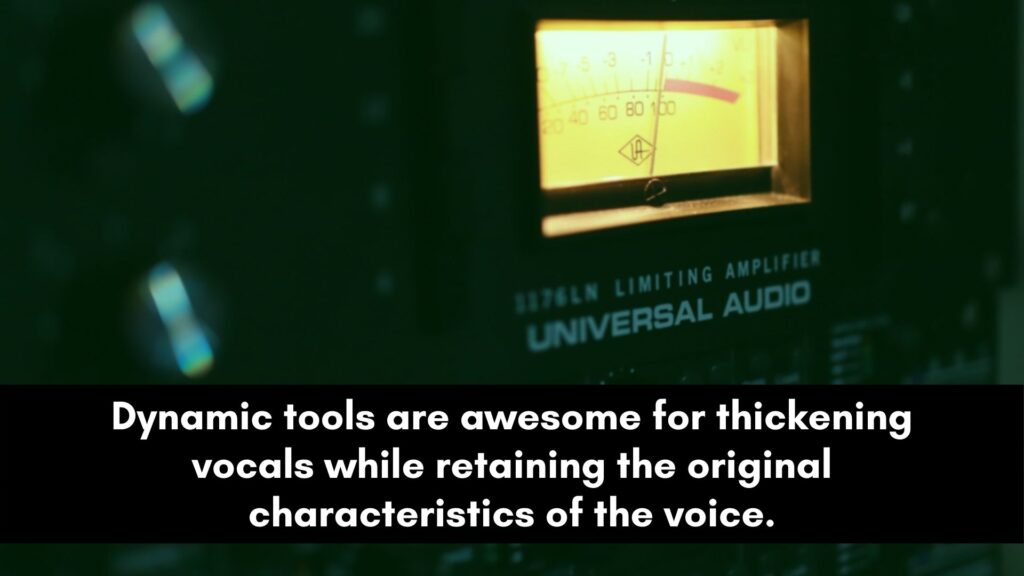
A thick vocal has to stay thick the whole way through, and compression is what holds it there.
By evening out the level swings, it keeps the warm low mids audible on quiet words instead of only on the loud ones.
A consistent vocal simply reads as fuller.
Use a moderate ratio and enough gain reduction to steady the performance without squashing it flat.
Parallel compression is especially good for thickness: blend a heavily compressed copy under the dry vocal to add density and weight while keeping the natural dynamics on top.
It is one of the most reliable ways to make a vocal feel big, and the vocal compression guide covers the settings that keep the body consistent.
Add Warmth With Saturation
Saturation is the secret behind most warm, expensive-sounding vocals.
By adding harmonics, it makes a vocal feel fuller, richer, and louder without raising its actual level.
Tube and tape emulations are the classic choices, since they add the kind of low-mid warmth and gentle compression that analog gear was loved for.
Start with a low amount and push it until the vocal feels warm but not fuzzy, then back off slightly.
Drive it harder in parallel if you want richness without losing clarity.
For the full approach to harmonic processing on vocals, see the guide on using saturation on vocals like a pro.
Thicken With Doubling, Layering, and Reverb
Once the single vocal is shaped, layering adds the weight that processing alone cannot.
Extra voices and a touch of space make the vocal feel bigger and rounder, as long as you keep them subtle and supporting the lead rather than competing with it.
- Real doubles add the most body. A second performance tucked low under the lead thickens it naturally.
- Detuned copies (ADT) with a short 20–30 ms delay and slight detune fake a fuller, chorus-like sound.
- Short reverb adds depth, not wash. A tight room or plate with a quick decay rounds the vocal without drowning it.
- Keep doubles centered or balanced when you want weight rather than width.
Layering for body and layering for width overlap, but they are not the same.
If your goal is a bigger stereo image rather than sheer weight, that is a panning and stereo decision.
Keep the doubles spread out instead of tucked behind the lead, the approach in how to make vocals wide.
Best Plugins for Thickening and Doubling Vocals
You do not need these to get a thick vocal, but dedicated doublers make the layering step fast and convincing.
Each one creates the small pitch and timing variations that add fullness from a single take. These three are the go-to options.
iZotope Vocal Doubler
A free, simple doubler that adds natural-sounding width and thickness in one knob.
It is the easiest way to test whether doubling is what your vocal needs, and it sounds good enough to keep on the final mix.
Download iZotope Vocal Doubler
Soundtoys MicroShift
The industry-standard thickener, built on the classic Eventide widening trick. Its pitch and delay variations add rich fullness and width that sit beautifully on a lead, with three modes to dial in the amount.
Waves Doubler
An affordable, flexible doubler with up to four voices of detune and delay. It is great for everything from a subtle thickening layer to an obvious, lush chorus effect, and it is often on sale.
Thick and Warm Vocal Cheat Sheet
Here is the whole process in one view. Work down the list, listen after each step, and stop when the vocal sounds full.
The settings are starting points to adjust by ear.
| Stage | Starting point | What it adds |
|---|---|---|
| Source | Close mic, warm mic, strong take | Natural body |
| EQ | Boost 150–300 Hz, cut 400–600 Hz if boxy | Warmth and body |
| Compression | Moderate ratio, or parallel under the dry | Consistent fullness |
| Saturation | Tube or tape, low and gentle | Harmonic richness |
| Doubling | Real double or ADT, tucked low | Weight and density |
| Reverb | Short room or plate, quick decay | Depth without wash |
3 Common Mistakes to Avoid
Thickening goes wrong in predictable ways.
Watch for these and you will add warmth without trading it for mud or losing the performance.
1. Boosting low mids until it turns muddy. Body and mud live close together. Too much around 200–400 Hz thickens the vocal into a boxy mess.
Boost gently, and cut a little higher up if mud creeps in.
2. Over-saturating into distortion. A little harmonic drive is warmth; a lot is fizz. Push the saturation until you hear it, then back off until you almost do not.
Subtle is the whole point.
3. Drowning thickness in reverb. A long, washy reverb adds size but smears the body and pushes the vocal back.
Use a short, controlled space so the vocal stays full and upfront. The reverb on vocals guide covers how to add depth without washing the warmth out.
Frequently Asked Questions
These are the questions that come up most often when a vocal sounds thin.
The short answers below cover the frequencies, the tools, and the order that builds warmth without mud.
How do you make a thin vocal sound thicker?
Build thickness in stages. Start by improving the source with a closer, warmer mic and a strong take.
Then EQ a gentle boost in the low mids around 150 to 300 Hz and compress for consistency.
Add tube or tape saturation for harmonic warmth, and layer a subtle double or ADT for weight.
Finish with a short reverb for depth. Apply each step gently and stop as soon as the vocal sounds full.
What frequency makes vocals warmer?
The low mids carry vocal warmth, roughly 150 to 300 Hz, where the body and fundamental of most voices sit.
A gentle, wide boost in that range adds warmth and fullness. If the vocal turns boxy, cut a little around 400 to 600 Hz, which is where mud builds up.
A small lift of air around 10 to 12 kHz keeps the warmth from becoming dull.
Does saturation make vocals warmer?
Yes. Saturation adds harmonics that the ear reads as warmth, richness, and added loudness without raising the level.
Tube and tape emulations are the warmest options, since they add low-mid harmonics and gentle compression at once.
Start with a small amount and increase until the vocal feels fuller but not fuzzy. Driving it in parallel keeps clarity while adding richness.
How do you double a vocal to make it fuller?
The fullest results come from recording a real second take and tucking it under the lead.
When you only have one take, use ADT: copy the vocal, delay the copy by about 20 to 30 ms, and detune it slightly.
A dedicated doubler plugin does this automatically. For pure weight, keep the doubles centered or balanced; for width, pan them apart.
Why does my vocal sound thin even after EQ?
EQ can only shape what was recorded, so a thin source stays thin if the body is not there to lift.
Check the recording first, then combine techniques rather than relying on EQ alone.
Compression keeps the low mids present, saturation adds harmonic body, and doubling adds weight.
Thickness comes from stacking these moves, not from one big EQ boost.
Can you make vocals warm without making them muddy?
Yes, by adding warmth surgically and cleaning up as you go. Boost the low mids gently rather than heavily, and cut around 400 to 600 Hz if boxiness appears.
Use saturation for warmth instead of large EQ boosts, since harmonics add body with less buildup.
Keep reverb short and controlled. Warmth is about the right small moves, not piling on low end.
The Bottom Line
A thick, warm vocal is built in layers, not summoned with one plugin.
Start with the best source you can, lift the low-mid body with EQ, steady it with compression, add harmonic richness with saturation, and finish with subtle doubling and a short reverb.
Move gently, listen after each step, and stop the moment the vocal sounds full. That restraint is what separates warm from muddy.
Thickness is one part of a complete vocal sound, working alongside tone, dynamics, and space.
To see how it fits the rest of the chain, the complete vocal mixing guide connects every stage.